::03 December 2012::

3. I also learnt new techniques today:

-fade in
-fade out
-dissolve

FADE IN
- at frame 1 make the box color as alpha=100%


at frame 15, make the box color as alpha=0%
-right click at any frame 1-15 at box layer-->create motion tween

so the result will be like this:
sini


FADE OUT
- the box at frame 15 make it color as alpha=0%


-right click at any frame 15-50 at box layer-->create motion tween

so the result will be like this:


::03 Dec 2012::

1. Animatic is 

  • like a dynamic storyboard
  • a series of still images
  • give idea of flow of the storyline.
These videos  are the example of animatic


2. Importing image

Today i also learnt about import to stage vs import to library..
what is the differences?

-->The "Import to Stage" will add the image in the Library and places a copy on the Stage, while the "Import to Library" will add the image in the Library only.
-->When you import or paste an image onto the stage, Flash stores a copy in the Library panel.

Importing image

File -> Import, then choose Import to Stage (or Import to Library).

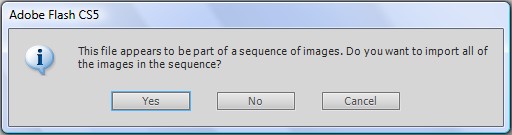
If the graphics files have sequential names like img_02.jpg, img_03.jpg, img_04.jpg, and so on, Flash will detect the sequential files and can import the entire series (each picture in a Frame).


In this case, Flash recognises the sequential names and display a dialog box to asks if you want to import the entire series.


Reminder:

- You can drag and use from the Library on the stage multiple copies of an image.

- If you delete an image on the Stage, it still remains in the Library, but when you delete an image from Library, all of its copies will be deleted.

- Adding graphic files in Flash it increments considerably the size of the Flash file (the SWF presentation).

credit to http://coursesweb.net/flash/importing-images

3. to b continued


::26 Nov 2012::

There is no class today because Dr Jamal have a workshop at faculty...


::19 Nov 2012::

Today we've learnt about the principles of animation. Some of my friends  presented n shared  their topic (that we have to choose b4 this). After that, Dr Jamal discussed the principles with details..

Some  of the principles of animation that have been highlighted:

1. SQUASH AND STRETCH
 This action gives the illusion of weight and volume to a character as it moves. Also squash and stretch is useful in animating dialogue and doing facial expressions.


2.SLOW-OUT AND SLOW-IN
 As action starts, we have more drawings near the starting pose, one or two in the middle, and more drawings near the next pose. Fewer drawings make the action faster and more drawings make the action slower. Slow-ins and slow-outs soften the action, making it more life-like. Or Ease in Ease Out


3. EXAGGERATION
Exaggeration is an effect especially useful for animation, as perfect imitation of reality can look static and dull in cartoons.The level of exaggeration depends on whether one seeks realism or a particular style, like a caricature or the style of an artist.pendek kate kita panggil dia 'over'


4. FOLLOW THROUGH AND OVERLAPPING ACTION
Follow through and overlapping action is a general heading for two closely related techniques which help to render movement more realistically, and help to give the impression that characters follow the laws of physics. "Follow through" means that separate parts of a body will continue moving after the character has stopped. "Overlapping action" is the tendency for parts of the body to move at different rates (an arm will move on different timing of the head and so on).

Other principles:
-Anticipation
-Staging
-Straight ahead action and pose to pose
-Arcs
-Secondary action
-Timing
-Solid drawing
-Appeal

Dr Jamal also gave us time to try to do the principle of squash n stretch using flash.

This is a video from youtube..Explaining about the principles


I've choose Secondary action for my task.

What is secondary action?

  • It is not a main movement. Just a small action.
  • This action adds to the main action, adding more dimension to the character.
  • Important in heightening interest and adding a realistic complexity to the animation
  • Adding secondary actions to the main action gives a scene more life, and can help to support the main action.
  • The important thing about secondary actions is that they emphasize, rather than take attention away from the main action.
  • Example:A person walking can simultaneously swing his arms or keep them in his pockets, he can speak or whistle, or he can express emotions through facial expressions.

The character is walking across the screen, the secondary action shown here is the exaggerated swinging of the arms. This is not necessary to the character walking but it adds depth and personality to the character and the action.


This dog's collar bounces around on its neck as it walks. The collar is not the primary motion of walking, but its secondary action adds realism to the scene.


other examples:


::10-18 Nov 2012::


p/s: Dont forget this task:
-find about Principles of Animation.
-Choose 1
-Find the example on how to use the principle
-Prepare not more than 5 slides
-How to use the principle in order to produce  a good animation.
-will be discuss after the break!!


::5 Nov 2012::

Today is our first animation class with Dr Jamal..

We need to recall back our knowledge/skill  in authoring system class or CD-rom class.

1) Keyframe :starting and ending points in animation. Should have at least 2 keyframe.

2) Tweening : derived from "in between". There are 2 type of tweening: motion tweening & shape tween


3) Onion skinning : is using for tracing picture. The tracing process will be easier especially for those "tangan keras"


4) Frame by frame : more realistic because we control everything. and the movement are more realistic.


5) Frame rate : 12-15fps is enough for animation. 15 fps is better because it need more pictures. And of course more pictures means more realistic. then more pictures means the file size will increase.


taking from http://animation.about.com/od/faqs/f/faq_fpsnumber.htm

Question: How many frames are in one second of animation?

There are 8-frame walk cycles, 10-frame motion studies...but how many frames actually make up one second of animation?

Answer: That actually depends on your method of publication and the quality you want. For standard quality web animation, there are 12 frames per second; high quality web animation downloaded over high bandwidth goes up to 15 frames per second - which is, coincidentally, the default frame rate for standard quality television animation. 24 frames per second can be either high quality TV animation, or low quality cinematic animation, while high quality cinematic animation is generally 30 fps.

 So really, there is no universal "default" - but there are several standards.

Task for next class!!
-choose 1 principle of animation
-find the info
-find the example how to use the principle so that can produce a good animation
-prepare 5 slides


ingat!!!!